Phone Rules That Actually Work for People with ADHD
Key Takeaways
- ADHD brains have heightened reward sensitivity and delay aversion. This is why short-form video feeds are disproportionately hard for people with ADHD to resist.
- Rules that depend on willpower will fail. Instead, change the phone environment so the default behavior is the healthy one.
- Friction is the most reliable tool you have. Grayscale, search-only app access, no home screen icons, and feed-level blocking all work because they add steps between impulse and reward.
- Keep messages, block feeds. Social connection matters for ADHD. Deleting apps entirely often removes something important. Blocking the feed layer is a better tradeoff.
- No phone in bed, no feeds before your first real task. These two boundaries alone can change the shape of your entire day.
Most phone advice is written for people who scroll a bit too much at night. If you have ADHD, that advice feels like it was written for a different species. "Put your phone down when you feel the urge" only works if you notice the urge before you are already 40 minutes deep. "Set a 15-minute timer" only works if you do not immediately dismiss the timer and keep scrolling.
This post is not about motivation or mindfulness. It is about building a phone environment where the path of least resistance is no longer a dopamine trap. Every rule here is designed around how ADHD brains actually work: high reward sensitivity, low tolerance for delay, inconsistent executive function, and a tendency to hyperfocus on stimulating content once the loop starts.
Why ADHD Makes Phone Addiction Harder
This is not a willpower problem. ADHD involves measurable differences in dopamine signaling in the brain's reward pathway, including the striatum and midbrain. Research consistently shows reduced dopamine receptor and transporter availability in these regions in adults with ADHD, which is consistent with a stronger pull toward high-stimulation, high-reward activities.[1]
On top of that, ADHD is strongly linked to delay aversion: a preference for smaller, immediate rewards over larger, delayed ones.[2] Infinite scroll feeds are essentially a delay aversion machine. Every swipe delivers an instant, unpredictable reward with zero wait time. That is exactly the pattern ADHD brains find hardest to disengage from.
If you have read why TikTok is so addictive, you already know how variable-ratio reinforcement schedules and dopamine prediction errors keep people scrolling. Now layer ADHD on top of that: lower baseline dopamine, higher reward sensitivity, weaker impulse inhibition, and difficulty switching tasks once engaged. The result is that short-form feeds are not just "hard to stop" for people with ADHD. They are architecturally optimized to exploit the exact cognitive profile.
Recent research confirms the link. A 2024 systematic review of longitudinal studies found reciprocal associations between digital media use and ADHD symptoms in children and adolescents: ADHD symptoms predict problematic media use, and problematic media use in turn worsens ADHD symptoms over time.[3] One longitudinal study of Dutch adolescents found that it was problematic social media use specifically — not just time spent — that predicted increased ADHD symptoms.[4] Most rigorous longitudinal data still comes from younger populations, but the underlying mechanisms (delay aversion, reward sensitivity, weaker impulse inhibition) apply across the lifespan.
The ADHD phone trap in one sentence
Your brain is wired to chase the fastest available reward, and your phone is engineered to be the fastest available reward in every room you enter.
The Rules
These are not suggestions. Treat them as a system. Each rule removes a trigger or adds friction between you and the reward loop. The more of them you stack, the harder your phone has to work to hijack your attention.
Rule 1: Turn On Grayscale
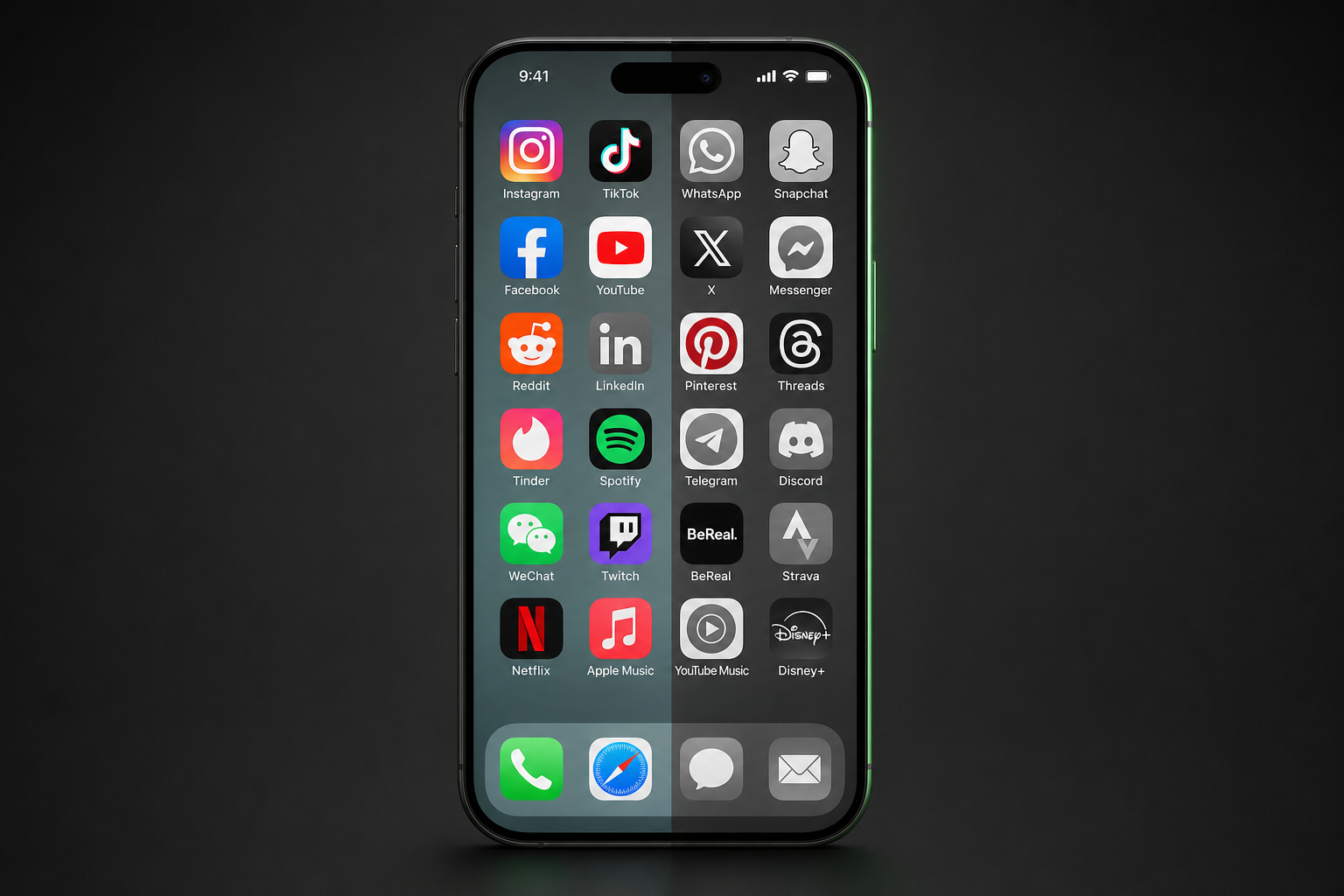
Color is one of the strongest visual cues your phone uses to grab attention. Red notification badges, neon app icons, vibrant thumbnails. For ADHD brains that are already hypersensitive to novelty and visual stimulation, color acts as a constant low-level pull.
Grayscale neutralizes this. Your phone still works exactly the same, but it looks and feels less stimulating. Notification badges lose their urgency. Thumbnails lose their appeal. The home screen stops feeling like a buffet.
For a full walkthrough of how to enable grayscale on both iPhone and Android (including setting up a quick toggle), see how to make your phone less addictive in 15 minutes. That guide covers the exact settings paths for both platforms.
ADHD-specific tip
Do not give yourself an easy toggle. If you set up a triple-click shortcut, you will toggle grayscale off within the first hour. Instead, leave it buried in Settings so that turning it off requires enough friction to make you pause and ask whether you actually need color right now.
Rule 2: Search for Apps, Never Browse
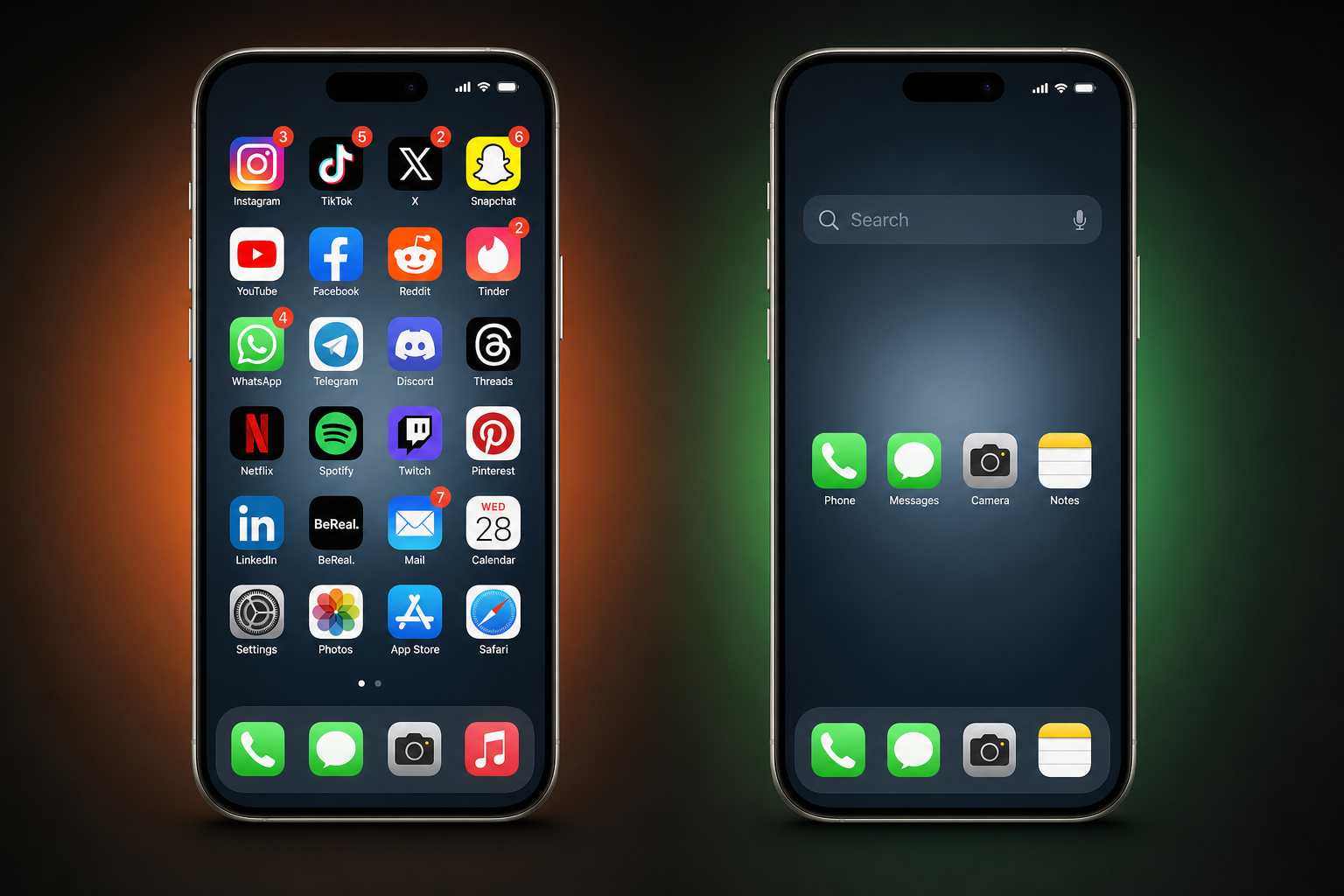
Remove every social media app, every streaming app, and every news app from your home screen. All of them. Put only true utilities in visible positions: phone, messages, maps, camera, calendar, notes.
When you want to open Instagram or YouTube, use your phone's search function instead. Swipe down (iPhone) or swipe up and tap the search bar (Android). Type the first few letters of the app name.
Why this matters for ADHD: Browsing a grid of colorful icons is a cue-rich environment. Your eyes land on an app, your brain fires a "that might be interesting" signal, and you tap before any deliberate decision happens. Search forces you to articulate what you want. If you cannot remember the name of the app you were about to open, you probably did not need it.
This one change alone interrupts the reflexive unlock-and-tap cycle that accounts for a huge percentage of mindless phone pickups.
Rule 3: No Feeds Before Your First Key Task
If you open a feed before you start your most important task of the day, you will likely lose 20 to 60 minutes. For neurotypical people, that is frustrating. For people with ADHD, it often means the entire morning is gone and the task never happens.
The rule is simple: no Reels, no Shorts, no TikTok, no Reddit, no X/Twitter feed until you have completed at least one meaningful task. Not "checked email." An actual task from your real to-do list.
Why it works for ADHD: ADHD makes task initiation one of the hardest parts of any day. Feeds flood your brain with easy dopamine first thing in the morning, which raises the dopamine threshold for everything else. Starting a boring-but-important task after 30 minutes of Reels feels physically painful because your brain just got used to rapid-fire stimulation. Protecting your pre-task window keeps your dopamine baseline lower, which makes the real task feel less aversive by comparison. The full mechanism is in our piece on what actually works in a dopamine detox.
Make it automatic
If you do not trust yourself to follow this rule manually (reasonable), use your phone's Focus or Do Not Disturb mode to block social apps until a set time. On iOS, you can build a Focus that hides social app notifications and removes them from the home screen entirely until noon or whenever your first work block ends.
Rule 4: Block Feeds, Keep Messages
This is probably the single most important rule on this list.
Many people with ADHD try the "delete the app" approach. It works for a few days, then they reinstall because they need to check a DM, see an event, or respond to a group chat. The problem is not the app. The problem is the feed inside the app.
Instagram DMs, YouTube subscriptions, Facebook Messenger, Snapchat chats: these are real social connections. Reels, Shorts, and the Reddit front page: these are algorithmically optimized reward loops. They are not the same thing, and your phone should not treat them the same way.
ScrollGuard is built around this exact distinction. It blocks the feed layer (Reels, Shorts, Reddit feeds, and more) while keeping messaging, stories, subscriptions, and other useful features intact — see the per-app feature grid for what's supported on iPhone vs Android. For ADHD specifically, this matters because social connection is often already harder, and cutting yourself off from every social app creates isolation that makes the problem worse.
If Instagram Reels is your specific trap, this guide walks through how to block Reels while keeping everything else on Instagram working.
Rule 5: No Phone in Bed
This is the rule people resist the most and benefit from the most.
For ADHD brains, bedtime scrolling is a perfect storm. Executive function is at its lowest. Delay aversion is at its highest (you are avoiding the "boring" experience of lying in the dark). And the content is maximally stimulating because algorithms serve you their best material when engagement is highest, which is late at night.
The research is clear: screen use before sleep is associated with worse sleep quality, later sleep onset, and shorter sleep duration.[5] For people with ADHD, who already have higher rates of sleep problems, this compounds into a vicious cycle. Bad sleep worsens ADHD symptoms the next day, which makes phone overuse even more likely.[6]
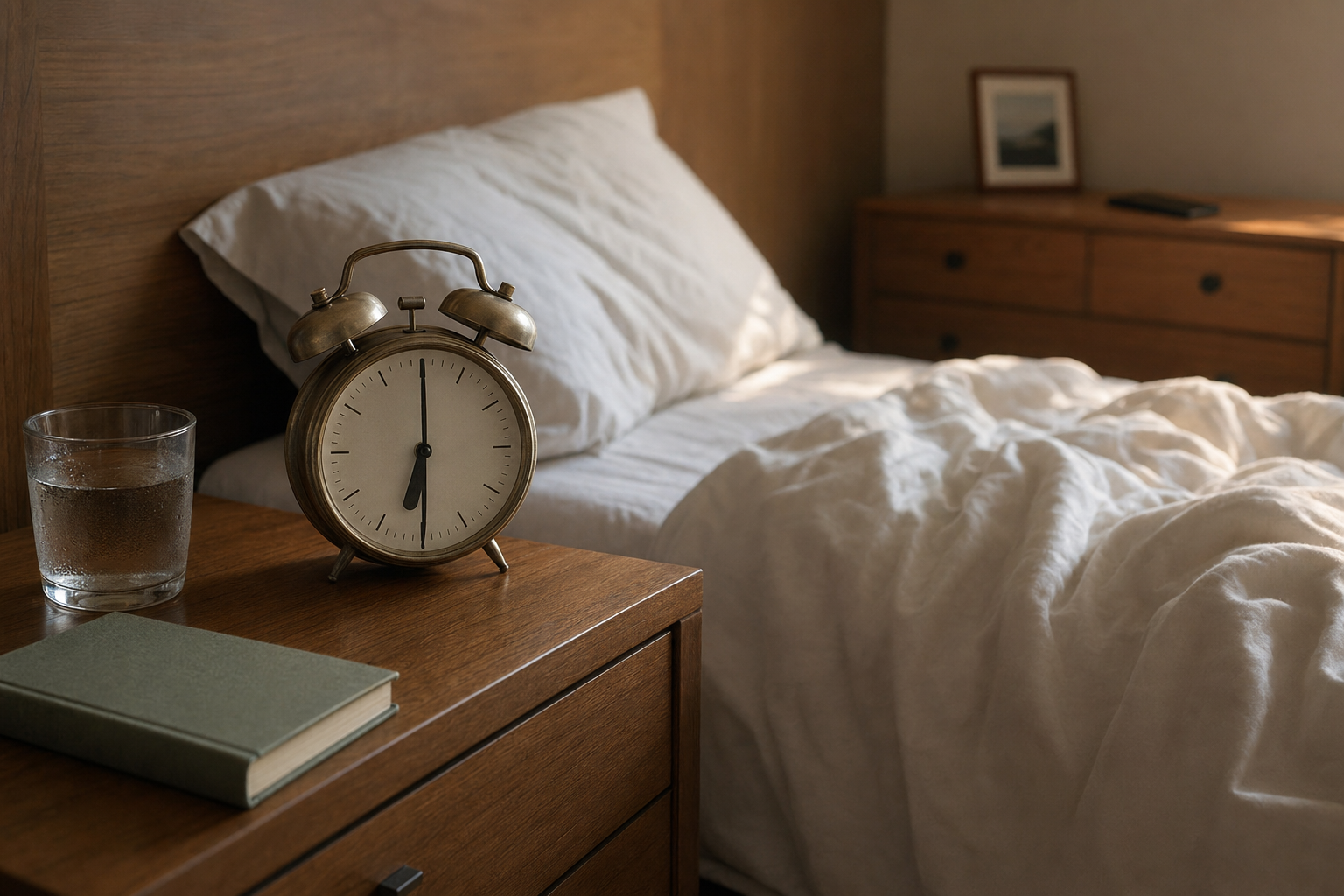
The implementation: Buy a cheap alarm clock. Charge your phone in another room, or at minimum on the other side of the bedroom. If you use your phone for a sleep sounds app, put it face-down and out of arm's reach. The point is to make "just quickly checking" something physically impossible from your pillow.
For tactics tuned specifically to the nighttime trap, see how to stop doomscrolling at night.
Rule 6: One Screen, One Task
If you are working on a laptop, your phone should not be open next to you. If you are watching something on TV, your phone should not be in your hand.
Dual-screening feels productive (or at least normal), but for ADHD it is one of the fastest paths into a scroll hole. Your brain is already struggling to sustain attention on the primary task. A second screen offering infinite novelty will win that competition every time.
The fix: When you sit down to work or focus on something, put your phone in a drawer, a bag, or another room. Not on the desk face-down. Not on silent in your pocket. Physically away from you. Research on phone proximity shows that even having a phone visible on a desk reduces available cognitive capacity, even if you never touch it.[7]
Rule 7: Kill Every Notification That Is Not From a Human
Go through your notification settings and turn off everything that is not a direct message from a real person. That means no "trending now" alerts, no "someone you might know joined," no app update badges, no promotional push notifications, no "your weekly screen time report" popups.
Each of those notifications is a cue. For ADHD, each cue is an opportunity for your brain to jump tracks. One "trending" notification leads to opening the app "for one second," which leads to 25 minutes of scrolling.
Keep: text messages, calls, messaging apps (WhatsApp, Signal, etc.), calendar reminders, and anything from a real human.
Kill: everything else. If it is not a person trying to reach you, it can wait until you deliberately open the app.
Why Willpower-Based Phone Rules Always Fail with ADHD
If you have tried phone rules before and they did not stick, this is probably why.
Most phone advice assumes a baseline level of executive function that ADHD specifically impairs. "Be more intentional." "Notice when you are scrolling and stop." "Set a timer and respect it." These all require the exact cognitive skills that ADHD makes unreliable: impulse inhibition, time awareness, and task switching.
The rules in this post are different because they do not ask you to be better in the moment. They change the environment so that the default behavior is the one you actually want. Friction-based rules work for ADHD because they operate at the system level, not the willpower level.
- "I'll only use my phone for 30 minutes."
- "I'll stop scrolling when I notice."
- "I'll be more mindful."
- "I'll just check one thing."
- "The feed is blocked. It does not load."
- "The app is not on my home screen."
- "My phone is in another room."
- "Everything is grayscale."
The pattern is clear: rules that depend on you making a good decision in the moment will eventually fail. Rules that make the bad decision harder or impossible will hold up over time.
This is not a moral failing. It is a design mismatch between your brain and your phone, and the fix is to redesign the phone side of that equation.
For the broader 5-step framework that applies to neurotypical brains too, our guide on how to break phone addiction covers the same friction-over-willpower principle in more depth.
Frequently Asked Questions
Why is phone addiction worse with ADHD?
ADHD involves measurable differences in dopamine signaling in the brain's reward pathway (striatum and midbrain), which is consistent with a stronger drive toward high-stimulation, instant-reward activities. Short-form video feeds deliver exactly that: rapid, unpredictable dopamine hits with no delay. Research on delay aversion also shows that ADHD brains have a measurably stronger preference for immediate rewards, which is the exact pattern infinite scroll exploits.
Do screen time limits work for people with ADHD?
Rarely on their own. Timer-based limits present a choice at the moment of weakest self-control: "Ignore Limit" or "OK." Most people with ADHD will hit ignore. Friction-based and environment-based approaches tend to be more effective because they do not rely on in-the-moment decision making.
What is the best phone setup for someone with ADHD?
A setup that removes triggers before they reach you: grayscale display, no social app icons on the home screen, search-only app access, short-form feeds blocked with ScrollGuard, phone charged outside the bedroom, and no feeds before your first important task of the day.
Should people with ADHD delete social media entirely?
For some people, yes. But for many, deleting apps removes useful social features (DMs, group chats, events, communities) that can be especially important for ADHD social connection. A more sustainable approach is to keep the apps but remove the addictive feed layer. That way you keep your connections without the compulsive scroll loop.
Is grayscale actually useful for ADHD?
Yes. ADHD brains are drawn to novelty and visual stimulation, and color is one of the strongest low-level visual cues your phone uses. Grayscale reduces the "pull" of app icons, thumbnails, and notification badges without breaking any functionality. It is one of the lowest-effort, highest-impact environment changes you can make.
Sources
- Volkow, N. D., et al. (2009). Evaluating dopamine reward pathway in ADHD: clinical implications. JAMA, 302(10), 1084-1091.
- Sonuga-Barke, E. J. S. (2002). Psychological heterogeneity in AD/HD: a dual pathway model of behaviour and cognition. Behavioural Brain Research, 130(1-2), 29-36.
- Thorell, L. B., et al. (2024). Longitudinal associations between digital media use and ADHD symptoms in children and adolescents: a systematic literature review. European Child & Adolescent Psychiatry, 33(8), 2503-2526.
- Boer, M., Stevens, G., Finkenauer, C., & van den Eijnden, R. (2020). Attention deficit hyperactivity disorder-symptoms, social media use intensity, and social media use problems in adolescents: investigating directionality. Child Development, 91(4), e853-e865.
- Hale, L. & Guan, S. (2015). Screen time and sleep among school-aged children and adolescents: a systematic literature review. Sleep Medicine Reviews, 21, 50-58.
- Hvolby, A. (2015). Associations of sleep disturbance with ADHD: implications for treatment. ADHD Attention Deficit and Hyperactivity Disorders, 7(1), 1-18.
- Ward, A. F., et al. (2017). Brain drain: the mere presence of one's own smartphone reduces available cognitive capacity. Journal of the Association for Consumer Research, 2(2), 140-154.
Block Feeds, Keep Everything Else
ScrollGuard removes the addictive parts of Instagram, YouTube, and more while keeping your DMs, stories, and subscriptions working.